Legal Case Management for Law Firms | LOWCODEMINDS

For Law Firms
Legal Case Management, Shaped Around Your Firm
Bring your matters, contracts, documents and deadlines into one secure system, configured to the way your firm already works.
The Solution
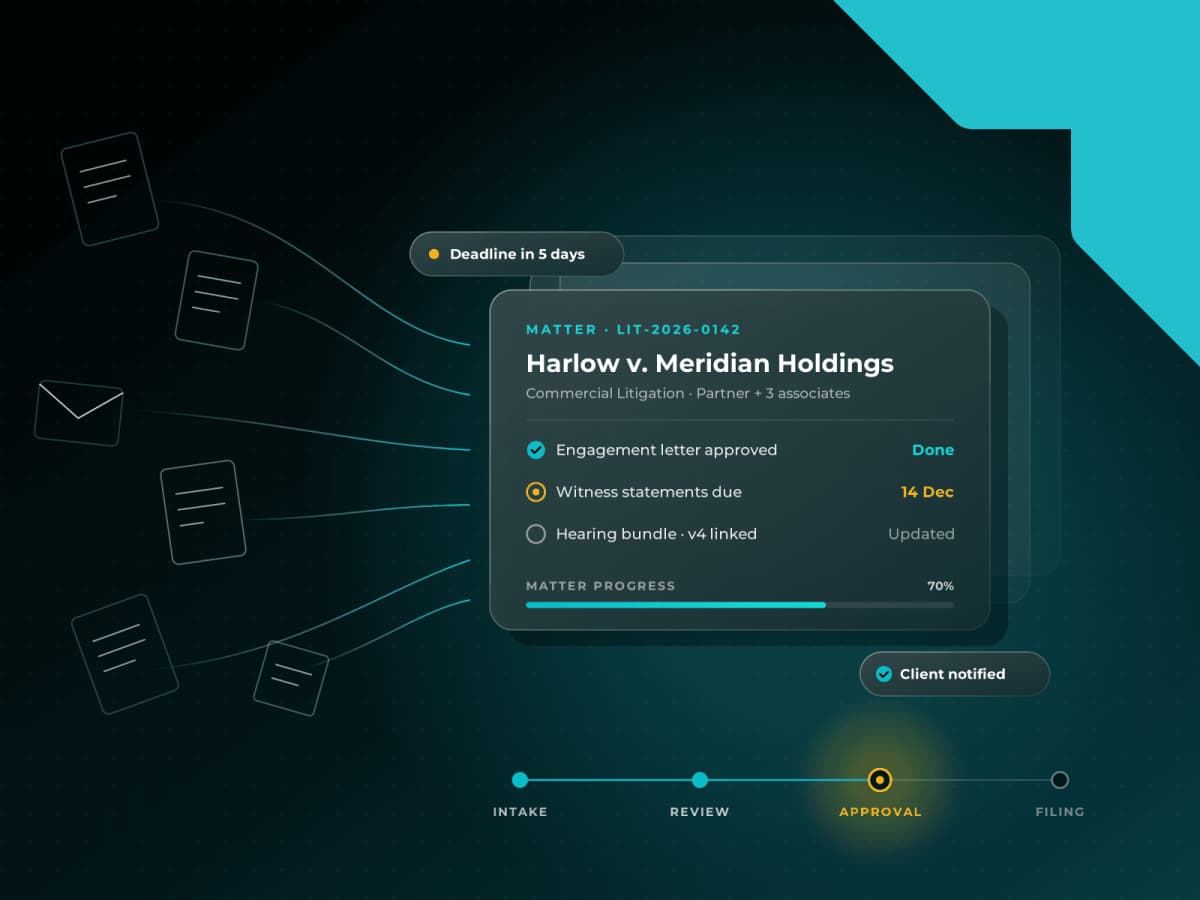
One System for Matters, Contracts and Deadlines
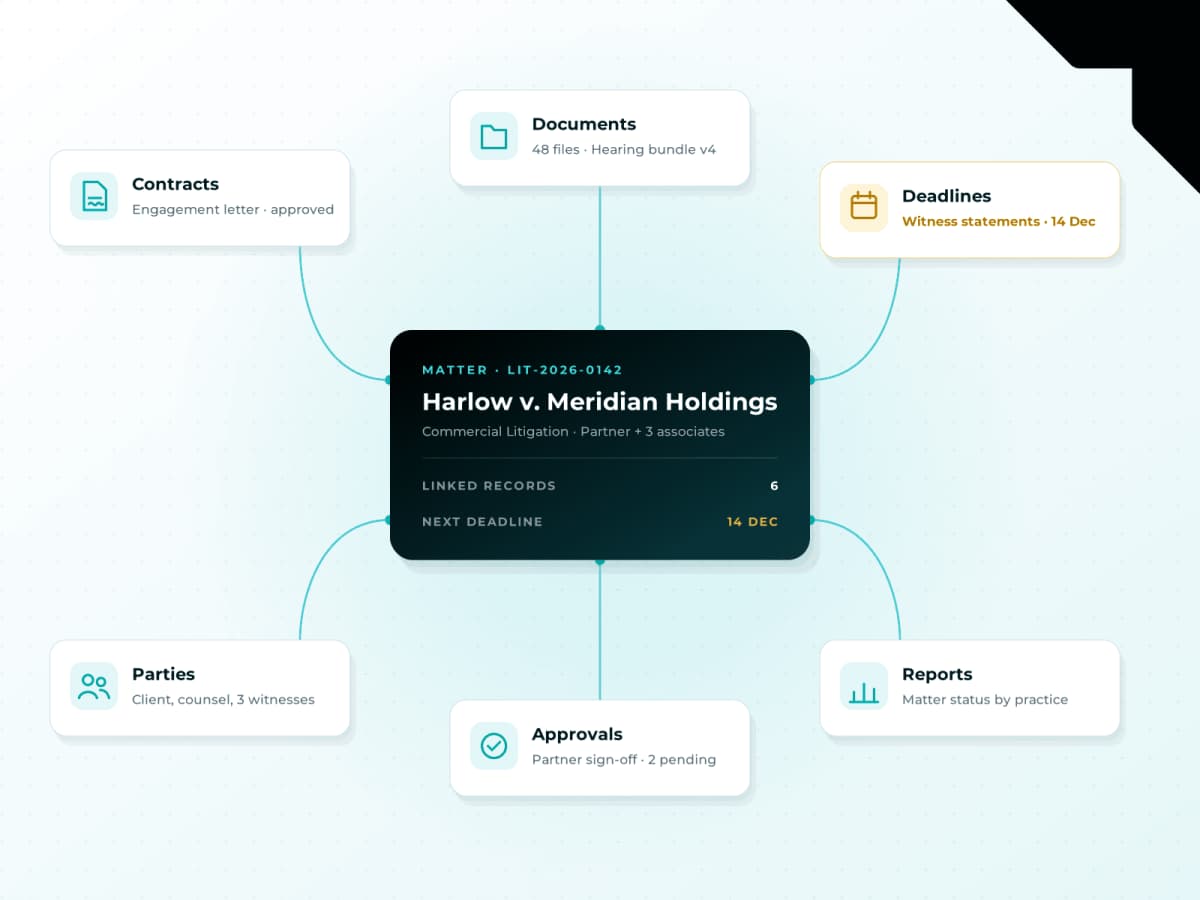
LOWCODEMINDS Legal Case Management gives law firms one place to run legal work: matter intake, case records, contracts, documents, tasks and deadlines. Contracts are managed in the same system as the matters they belong to, so every contract, approval and date stays linked to the right matter.
You start from a proven foundation rather than a blank build, then configure it to your practice areas, approval rules and reporting. When you need something specific, our team extends it.
Built for managing partners, practice heads and legal operations teams at growing law firms worldwide.
The Challenge
Managing Cases Shouldn’t Take This Much Time
When case files, emails and deadlines are spread across different tools, simple tasks take longer and things get missed.

INFORMATION IN TOO MANY PLACES
Emails, files and updates are scattered, so finding the full story of a case means asking around.

DEADLINES THAT SLIP
Court dates and follow-ups tracked in spreadsheets or calendars are easy to miss, and one miss can be costly.

NO CLEAR VIEW OF ALL CASES
Partners spend hours collecting updates instead of seeing every case’s status in one place.

TOOLS THAT DON’T FIT YOUR FIRM
Standard software makes you change how you work, so teams end up working around it.
Everything Your Firm Needs, In One Place
Case and Matter Management
Every case’s details, people, tasks and status in one record, from first call to closing.
Contract Management
Draft, review, approve and track contracts, each one linked to the right case.
Documents and Templates
Find case files, templates and past work fast, from one shared library.

Workflows and Reminders
Send tasks, reviews and approvals to the right people, with reminders before every key date.

Dashboards and Reports
See workload, case status and what needs attention, by practice area or team.

AI-Assisted Document Review
Summarize documents and pull out key details faster, with lawyers checking every result.
From First Call to Closing, Every Step Tracked
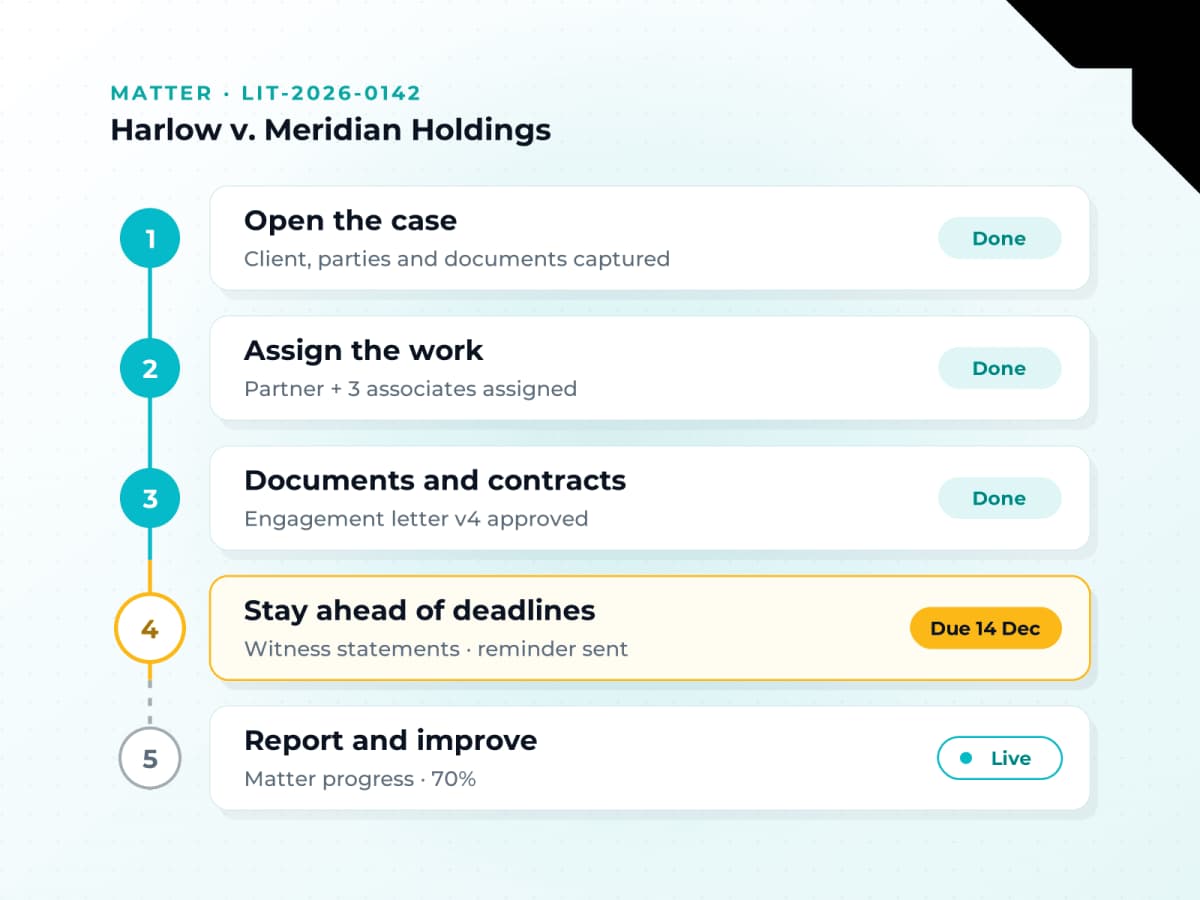
Cases rarely follow a straight line. New documents arrive, people change and approvals pile up. Here’s how the system keeps everything moving.
Capture client and case details, add the people involved and keep every document in one record.
Tasks, reviews and approvals go to the right people automatically, based on rules you set.
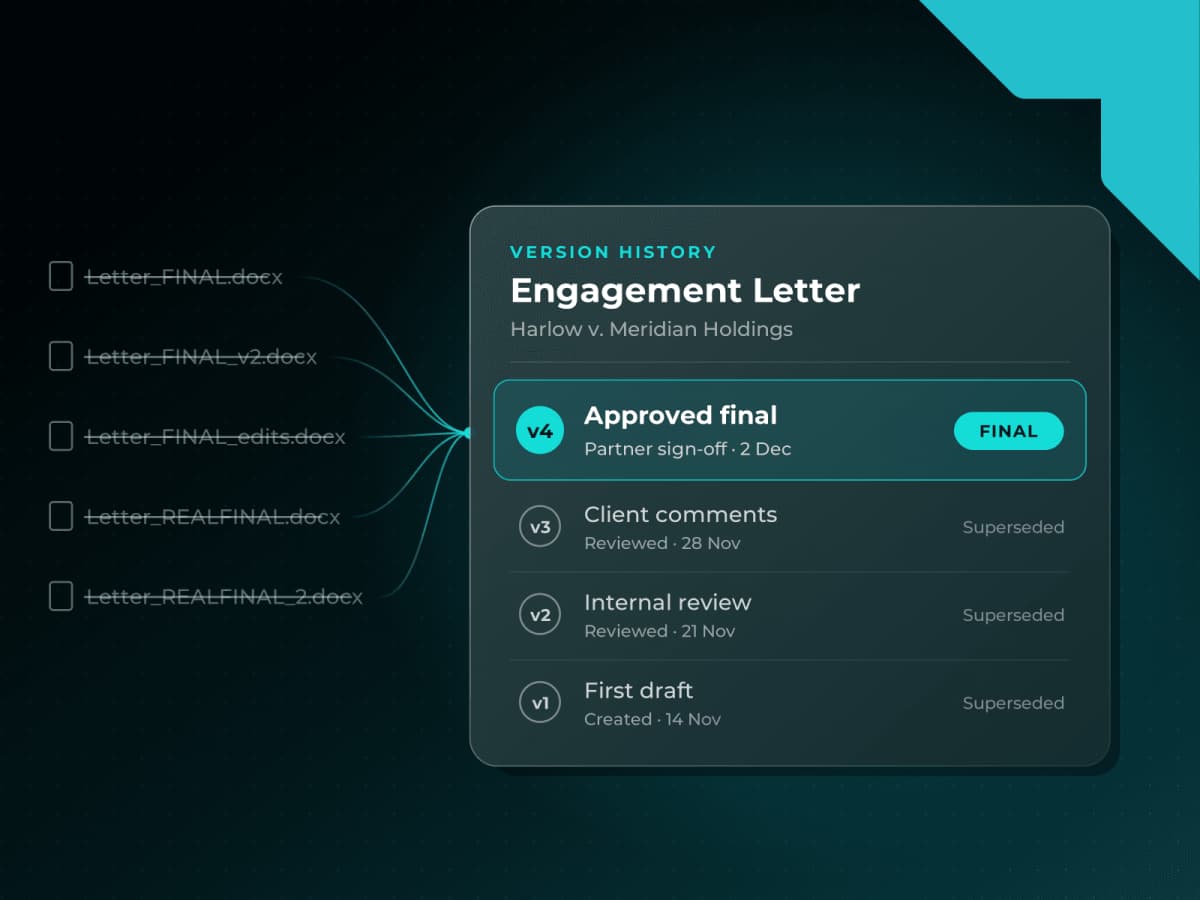
Drafts, versions and approvals stay attached to the case, so nothing gets lost in email.
Reminders flag upcoming dates and stalled tasks before they become problems.
Dashboards show progress and bottlenecks, so partners can act on facts instead of status meetings.
Why LOWCODEMINDS
Ready to Use. Fully Customizable.
Start with a proven case management system that works from day one. When your firm needs something different, such as a new workflow, a practice-specific feature or an integration, our team builds it for you.

Customizable to the Core

Ready From Day One

Cases and Contracts Together

Works With Your Tools

Grows With Your Firm

Secure by Design
Integrations
Works With the Tools Your Teams Already Use
No new habits to learn. The system connects with your everyday email, calendar and document tools, so case information flows in without extra admin.

Outlook


Teams

SharePoint

OneDrive

Word

Excel

Document Systems

E-Signature

Accounting

Custom APIs
Benefits
More Time for the Work That Matters

Spend less time searching, with case files, documents and contracts one click away.

Miss fewer dates, with automatic reminders for deadlines, follow-ups and approvals.

Move contracts forward faster, with clear review and approval steps.

Give partners, associates and staff one shared view of tasks and progress.
Get Started
See How It Works for Your Firm
A personalized walkthrough built around your cases, workflows and tools. No commitment required.
Yes. Case types, fields, approval steps, reports and integrations can all be tailored to your practice areas. You start with a ready-to-use system, and when you need something it doesn’t do yet, such as a new workflow or a practice-specific feature, our team builds it for you.
Pricing depends on the number of users, the features you need and how much customization your firm wants. Because you start from a ready-made system rather than a custom build, costs are usually lower than building from scratch. Request a demo and we’ll give you a clear estimate based on your firm’s size and needs.
Most firms can start using the core system quickly, because it’s ready from day one rather than built from scratch. The full timeline depends on how much you customize, which tools you connect and how much data you bring over from your current system. We’ll map out a timeline with you during the demo.
Yes. Contracts are managed in the same system as your cases. You can draft, review, approve and track contracts, keep every version in one place, and see exactly which case each contract belongs to, with no switching between tools.
Yes. It connects with Microsoft 365 tools such as Outlook, Teams, SharePoint, OneDrive, Word and Excel, so lawyers keep working the way they do today. It’s built on enterprise platforms such as Microsoft Power Platform and Appian, and other systems your firm uses can be connected through standard APIs.
Yes. AI features help summarize documents, pull out key details and speed up contract review. Lawyers review every result, and AI use can be set up to follow your firm’s policies on confidentiality and data handling.
Yes. Small firms can start with the ready-to-use system and only the features they need, so it’s simple to adopt from day one. As your firm grows, with more lawyers, practice areas or offices, you can add workflows and features without switching systems.
LOWCODEMINDS is a global leader in AI-led enterprise process orchestration and Knowledge Work Automation, transforming fragmented workflows into orchestrated, AI-driven decision systems that help enterprises modernize and scale business operations. Recognized as a Top Player and Contender in the ISG Provider Lens® Intelligent Automation Services 2025 (U.S.) study, the company is at the forefront of next generation automation and enterprise transformation.
LOWCODEMINDS helps enterprises transform knowledge intensive and compliance heavy enterprise value chains through trusted, governed, and scalable AI automation that delivers measurable operational and financial outcomes. Powered by App Labs, its dedicated innovation division, the company has developed 7+ Enterprise Value Chain Frameworks, 20+ reusable Agentic AI Accelerators, and 18+ enterprise ready solutions across industries including BFSI, Legal, Manufacturing, Retail, CCM, and Telecommunications.

Headquarters:
8, The Green Ste B, Dover, DE 19901.
[email protected]
(276) 451-3607
2026
LOWCODEMINDS | Privacy Policy